
Kinetic Studios
A Unity physics workspace for designing, learning, and prototyping kinetic-art systems before fabrication.
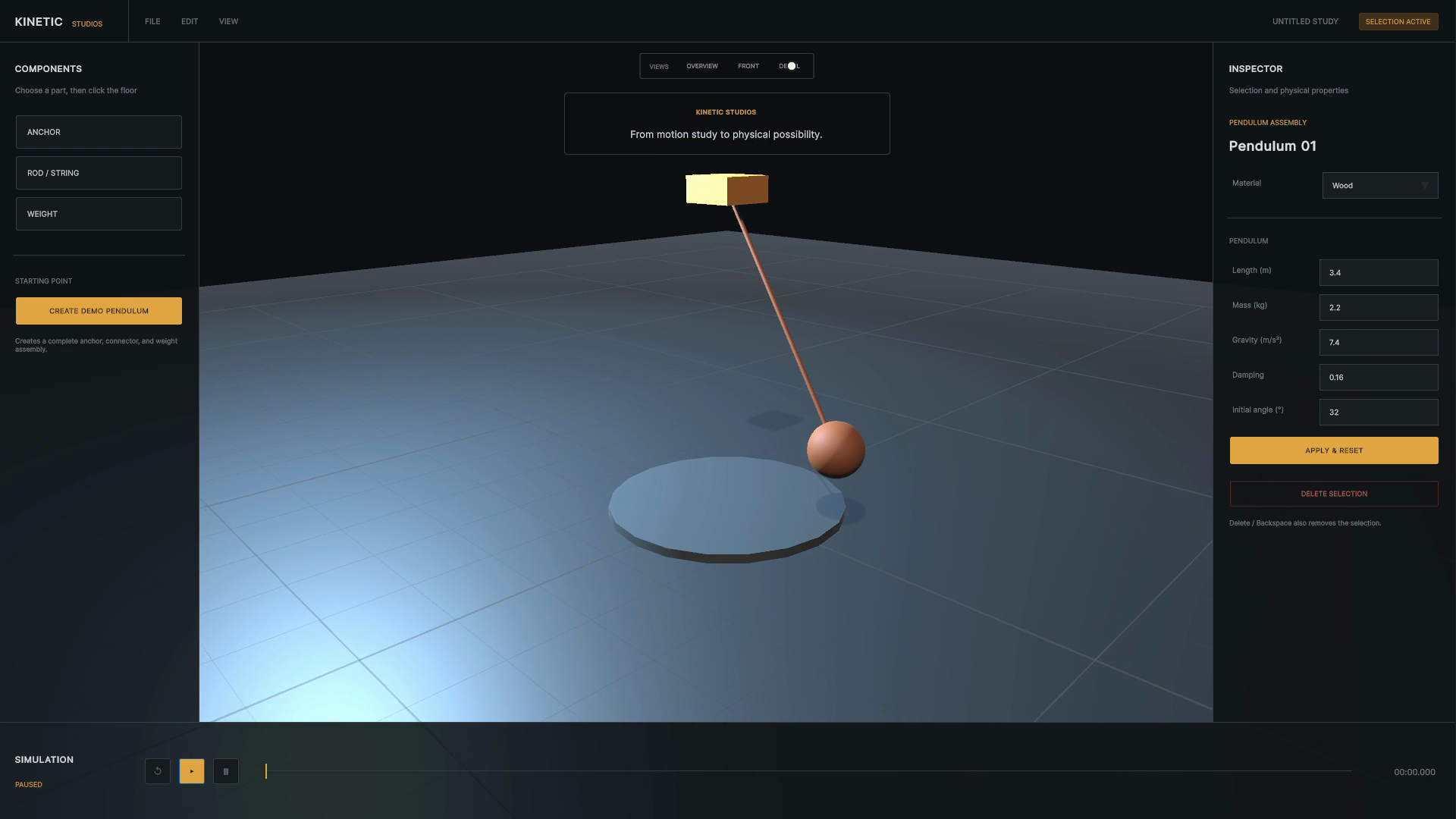
Kinetic Studios began with a fascination for kinetic sculpture and the moving mechanical objects seen in films such as Iron Man. Research into motion, balance, timing, and material behavior led to artists such as Reuben Margolin.
Inside the experience
What someone can actually do
- Build with rods, meshes, bobs, spheres, cylinders, and pendulums
- Connect components into physical systems
- Change materials and physical properties in real time
- Pause, restart, and slow motion for closer observation
- Inspect a design from repeatable camera views
How the idea took shape
Physical kinetic art can require extensive material, precise measurement, and repeated construction. A small structural or mechanical mistake may force a large part of the work to be rebuilt.
The studio turns that expensive iteration into a playful immersive environment. Rods, meshes, bobs, spheres, cylinders, pendulums, materials, and connections can be combined while physics updates in real time.
The interaction model takes inspiration from Microsoft Paint: understandable tools invite exploration before expertise. A child can try a brush or shape without learning professional software first; a kinetic-art tool should make physical systems feel equally approachable.
The environment is also a learning space. A pendulum can be paused, restarted, slowed down, changed, and observed repeatedly, something a physical system does not make easy.
Artists, students, teachers, physics learners, installation designers, and creative technologists can use the same workspace for different kinds of curiosity.
“A simulation becomes a creative tool when artists can manipulate the meaningful physical decisions instead of only watching an animation run.”
Explore how it was built +
I defined the product direction, designed the editing workflow, and built the modular Unity runtime, UI Toolkit controls, physics system, and capture tooling.
- Unity 6
- C#
- UI Toolkit
- Unity Physics
- Editor tooling
Where it could go next